UnionActive Job Calls
Publish opportunities and organize member responses
Manage employers, schedule job-call listings, collect member bids, track responses, and export results from one connected workflow.
From announcement to filled call
The Job Calls system gives administrators control over when an opportunity appears, what members see, and how responses are collected. It is available on eligible UnionActive packages.
Structured listings
Add the title, employer, call and start dates, position details, book information, and other instructions in a consistent format.
Member bidding
Open calls show a Bid This Job action. Signed-in members receive a form prefilled with available account details and complete any remaining fields.
Central responses
Review the number of bids, open each submission, and export a spreadsheet for authorized dispatch or follow-up work.
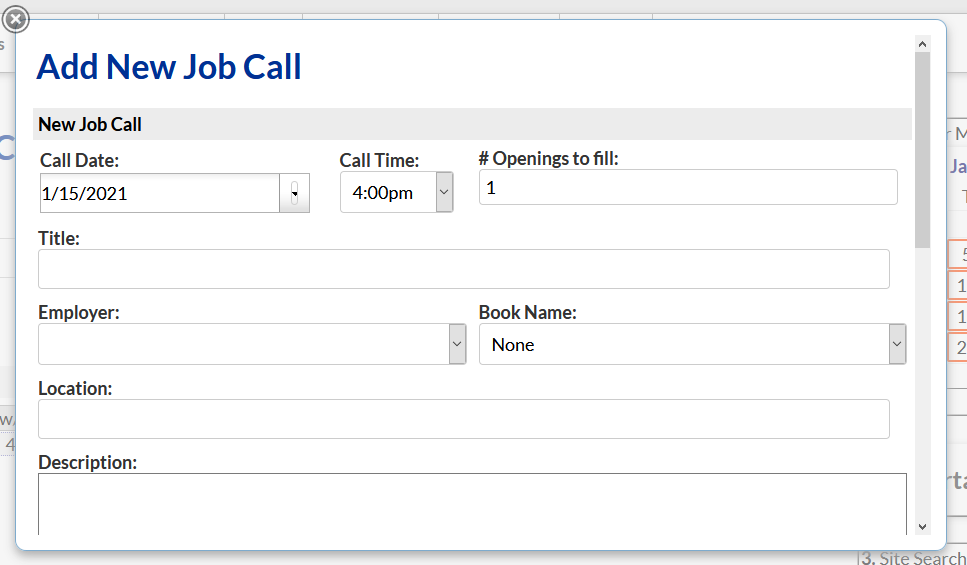
Set up the system for your local
- Choose the notification addresses for new bids.
- Customize labels such as contractor, employer, book, or position.
- Decide whether the listing page is public or members-only.
- Configure the use of book names and closing or start dates.
- Add instructions above and below the listings.
- Create the confirmation shown after a response.
- Enable Job Calls in the site feature controls.
- Add the Open Jobs module where members will see it.
A practical administrator workflow
Add employers
Build the contractor or employer directory, including categories and the details staff need when posting calls.
Schedule the call
Set the time the call becomes visible and the final date it should remain active, then complete the job details.
Review and close
Monitor bids, export responses, and mark the job filled to remove the bid action while retaining the appropriate listing status.
Member and administrator notification emails contain job and response details. Review recipient addresses and limit access to exported bid information.
Bring job calls into your member website
Contact Us to confirm package availability and plan your employer, book, notification, and listing settings.


.png)